주요 콘텐츠로 건너뛰기

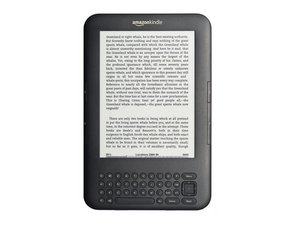
The Kindle 3 was the 3rd generation of Kindle produced by Amazon. It was sold as a WI-FI or 3G model with 4 GB of internal storage.

How to fix horizontal lines on screen?

My kindle froze up and wouldn't reboot. I determined it was the mother board, which I replaced. But now the screen has evenly spaced horizontal lines - like a bad print from a printer with low ink. Is replacing the screen my only option?

Block Image
이 질문에 답하기 저도 같은 문제가 있습니다

좋은 질문입니까?

점수 5
댓글 달기

답변 2개

가장 유용한 답변

I allowed my Kindle battery to run completely down. When I charged it. the screen orabout 30% of it looks normal, , but the remaining 70% is horizontal lines. It seems to be frozen it this mode. This is the second Kindle that I have had to do this. I threw the first one in the trash. When the same thing happened to the second one. I thought I would see if somebody knows if it can be repaired, and if so, does the repair cost warrent doing it,

이 답변이 도움이 되었나요?

점수 1
댓글 달기

Joanna, if the screen worked okay before, you want to check to make sure that your ribbon cable is properly seated and secured. Check for any debris or bend pins. It could be a broken LCD, but most likely it's the ribbon cable.

이 답변이 도움이 되었나요?

점수 0

댓글 1개:

how do I check the ribbon cable?

댓글 달기

답변을 추가하세요

Joanna 영원히 감사할 것입니다.
조회 통계:

지난 24시간: 2

지난 7일: 3

지난 30일: 10

전체 시간: 11,600

