
주요 콘텐츠로 건너뛰기

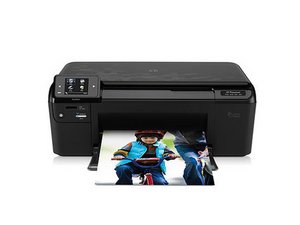
HP Part#: CN731A#B1H: Printer, scanner, copier, web browser with wireless internet capability

Why will it not make a copy?

Copy icon highlighted, I press ok, It prompts me to choose color, b & w or economy. I scroll to B & W and press ok. Number of copies comes up with a 1 in the field. I press ok. Display screen returns to the first screen... It does this no matter what choices I select. I have removed and reinstalled the ink cartridges. Has anyone seen this and resolved this problem?

Thanks,

Jim s.

답변되었습니다! 답변 보기 저도 같은 문제가 있습니다

좋은 질문입니까?

점수 0
댓글 달기

답변 1개

선택된 해법

Hi,

Check that both the ink cartridges are not low. The printer will not copy if the cartridges are low.

If they are alright try a semi-full reset and see if it resolves your problem.

Touch the upper left corner of the touch pad once, then the upper right corner, then the upper left again two times. "Support Menu" comes on screen. Hit the right arrow to "Resets Menu", then the right arrow again to Semi-Full Reset".

Be patient it takes a little while.

이 답변이 도움이 되었나요?

점수 1
댓글 달기

답변을 추가하세요

James Sexton 영원히 감사할 것입니다.
조회 통계:

지난 24시간: 0

지난 7일: 0

지난 30일: 3

전체 시간: 497
