
주요 콘텐츠로 건너뛰기
수리 커뮤니티 가입 - 계정 만들기

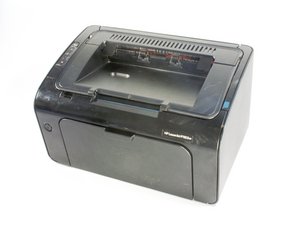
Released in May of 2012 and identified as model number CE657A#BGJ. The HP LaserJet P1102w is USB and wifi connection capable.

Why does it not print correctly

Hello. I have an HP Laserjet P1102w that prints clearly but whenever it prints the prints comes out in a slant way. I seem not to understand whats going on with the printer. I have cleaned the head and changed the toner but its the same result. I'm hoping I ll be able to find an answer here.

이 질문에 답하기 저도 같은 문제가 있습니다

좋은 질문입니까?

점수 1

댓글 1개:

Hi, Not trying to be smart, but have you checked that you are not printing whatever font you are using in "italics"?

댓글 달기

답변 1개

I have several clients that have the same printer… usual fix is totally delete the printer. remove the USB cable, reboot and then see if the printer still shows. if yes again do a uninstall and remove from device & Printers. so that when you reboot you have NO PRINTER… then shut off computer, plug in printer cable. start computer and follow any instructions. it should AUTO start to install Printer.

이 답변이 도움이 되었나요?

점수 0
댓글 달기

답변을 추가하세요

shobenboy 영원히 감사할 것입니다.
조회 통계:

지난 24시간: 1

지난 7일: 4

지난 30일: 7

전체 시간: 534
