주요 콘텐츠로 건너뛰기
수리 커뮤니티 가입 - 계정 만들기

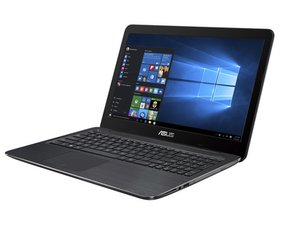
This page includes repair information for the ASUS K556UA. The device is similar to other ASUS K Series laptops manufactured by Intel and contains a support guide for long-term usage.

wireless mouse not working

I have new laptop i5-556UA

I got wireless Srocker mouse

windows 10 home

plugged into USB - device manager finds it, says it working fine, even went to see about updating driver and says I have updated driver

however it will not function - only touchpad mouse works (even tried fn f9 to turn off touchpad)

답변되었습니다! 답변 보기 저도 같은 문제가 있습니다

좋은 질문입니까?

점수 8
댓글 11개

Is the dongle plugged into usb 2 or usb 3 (blue (usually)). Sometime USB3 ports act funny

i had put brand new batteries is mine and wouldnt work. put another new pair in and it worked great

My mouse suddenly stopped working on my OSX .

Please Help

Hi @ Pratik Khadka,

Post your 'comment' as a new question on ifixit.

That way it will get more attention rather than as a comment on a question more than 12 months old.

Give more details, such as computer make and model number, mouse make and model number and any other relevant details that may help.

The more relevant information you give the better the answers you may get.

How do I fix a Logitech M305 cause it isn’t working after i tried all of your peoples methods. And also Please give me robux on D1lJ1T_D0S4NJH

댓글 6개 더보기

댓글 달기

답변 4개

선택된 해법

These are three working solutions, if they help you:-

Fix 1:

Remove USB receiver and wireless mouse battery for 5 seconds. After 5 seconds now reattach USB receiver and mouse battery and turn on your wireless mouse. This fix is working in my friend’s Logitech wireless mouse.

Fix 2:

1. Go to RUN (Win Logo + R) and type “devmgmt.msc” to open device manager.

2. Now find Mice and other pointing devices and find your wireless mouse.

3. Now right click on your wireless mouse and click Scan for hardware changes.

Fix 3:

If above fixes are not working for you then find a solution from the official Microsoft website.

1. Troubleshoot response failures in wireless keyboard or mouse.

2. Troubleshoot a wireless mouse that does not function correctly.

3. Mouse Troubleshooting.
이 답변이 도움이 되었나요?

점수 14

댓글 2개:

Hi @raichel121

FYI to save typing errors, In Win 10 press Win key + x key together and option box will appear left side of screen with direct links to Device Manager, Control Panel, Event Viewer etc. Good for people like me with fat fingers

Fix number 1 was the ticket - and really, moving the USB receiver to another port is what did it. As soon as I did that it started working. It's like once the original batteries died that port was no longer an option.

댓글 달기

@fischer76 A few things to check .Is the mouse turned on , check for a switch on the bottom of the mouse . Wireless mouse have off- on switches to help save the battery. Check the battery is not dead. Check that the dongle is plugged in all the way and if you have no joy try it in a different port . Go into the mouse configuration or settings and check that it is enabled .Finally test the mouse on another computer. Hope this helps

이 답변이 도움이 되었나요?

점수 4
댓글 달기

My mouse not working but my USB receiver are working?

이 답변이 도움이 되었나요?

점수 0

댓글 1개:

댓글 달기

Outdated or corrupt drivers can often cause issues when connecting a wireless mouse so please update your outdated driver and also check bluetooth connectivity.

이 답변이 도움이 되었나요?

점수 0
댓글 달기

답변을 추가하세요

bobp 영원히 감사할 것입니다.
조회 통계:

지난 24시간: 10

지난 7일: 40

지난 30일: 192

전체 시간: 93,156