주요 콘텐츠로 건너뛰기
수리 커뮤니티 가입 - 계정 만들기

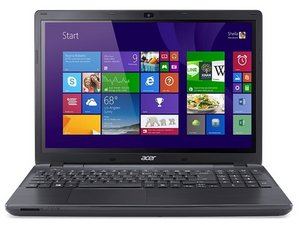
2015년에 출시된 Acer의 노트북, Acer Aspire E15에 대한 수리 정보 및 지원입니다. 모델 번호: E5-575-33BM.

Synaptic touchpad not working

My touch pad does not work, driver not showing in device manager. I downloaded driver from Acer, it told me it was installed and ready for use, but still not in device manager,neither can I find where it installed. I also did a complete system restore, Any ideas please.

답변되었습니다! 답변 보기 저도 같은 문제가 있습니다

좋은 질문입니까?

점수 2
댓글 4개

i can go to mice and other pointing devices but I cannot found 'usb touchpad controller'.The options are only 'ELAN 12 C Filter Driver' and'HID Compliant mouse'

의

can anyone help me

의

my pc comes with windows 10, but i downgraded it to windows 8 and the mouse and sound wont work

의

can anyone help with a solution

의

댓글 달기

답변 1개

선택된 해법

Hi

Have you tried pressing Fn + F7 together to 'toggle' the touchpad back on? (Fn + F7 turns the touchpad both On and Off)

Where did you check in Device Manager, was it under Mice and other pointing devices?

Also have you checked in Control panel > Mouse to see if the touchpad has been disabled there at all?

What OS is installed?

Update (03/12/2017)

Hi Terry,

Just a thought, see if the following is available

Go to Mice and Other Pointing Devices in Device Manager and see if there is a listing for a USB Touchpad controller.

Right click on the listing and select Update driver. When you get to browse my computer, you'll have the option to "let me choose" and then you select "usb input device" instead of "touchpad controller."

Also have you checked for 'hidden devices' in Device Manager, (located in the View tab option)?

이 답변이 도움이 되었나요?

점수 4

댓글 2개:

i can go to mice and other pointing devices but I cannot found 'usb touchpad controller'.The options are only 'ELAN 12 C Filter Driver' and'HID Compliant mouse'

의

excellent answer toggle Fn +F7 to get the mouse working again. Thank you

의

댓글 달기

답변을 추가하세요

Terry Eastwood 영원히 감사할 것입니다.
조회 통계:

지난 24시간: 1

지난 7일: 8

지난 30일: 25

전체 시간: 14,467
