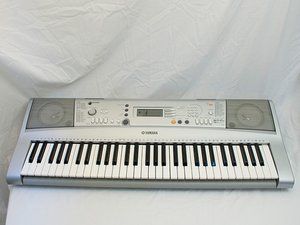

Why is the keys not working
All my c and g keys on the left side of the piano dont play.
좋은 질문입니까?
점수
1
평판: 13
 1
1
 1
1
All my c and g keys on the left side of the piano dont play.
좋은 질문입니까?
평판: 861.1k
1.5k
978
 2.4k
2.4k
Kay White you will have to disassemble your keyboard and take a closer look at the ribbon cables. Make sure that everything is properly seated and that there are no tears.

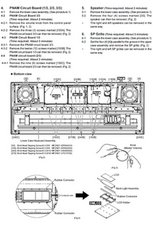
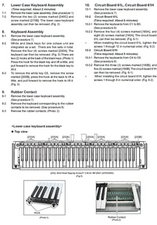
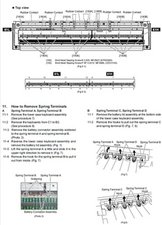
Once disassembled post some images of what you find so that we can see what you see. Use this guide 기존 질문에 이미지 추가하기 for that.
이 답변이 도움이 되었나요?
평판: 13
1
These keyboards suffer from the rubber strips which act as the springs under the keys getting soft and the strips have to be replaced. Once you disassemble the keyboard you will find these either blue or green strips that look almost like 2 rows of bubble wrap under the keys. Yamaha have stock of them and they are not very expensive. There are multiple strips which handle about 10 of the keys per strip. It's best to replace all the strips at once for obvious reasons.
이 답변이 도움이 되었나요?
In my case, my D# and A keys across the whole YPT300 keyboard stopped working after I had taken the keyboard apart to replace a broken low C key (part of a white key assembly). To replace the keys, I had to detach 3 ribbon cables from the DMLCD circuit board to free the keyboard. This requires gently pulling up the ribbon cable connector tabs on both sides until it “unlocks”, and gently pulling out the ribbon cable wire ends. This process was reversed for re-installation: insert pins, push down both sides of the connector tabs,
So I opened the case again and looked at how I re-installed the 3 ribbon cables on the DMLCD circuit board. One of them looked misaligned. Turns out that one of the pins got bent on the 12-pin ribbon cable that attached to connector CN831 (the one that goes to 61H-CN1) when I reinserted it. I carefully straightened that pin with a pair of pliers, and make sure that all of the pins were straight before I gently re-seated the cable into the correct pin holes, and snapped the connector assembly down evenly on both sides. Before closing up the case I powered the keyboard and tried it out, and the issue was fixed for me, all keys playing again.
이 답변이 도움이 되었나요?
지난 24시간: 2
지난 7일: 6
지난 30일: 42
전체 시간: 3,920



