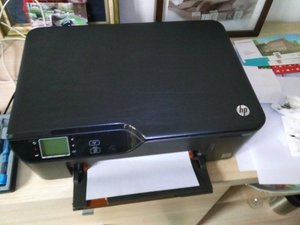

"Use Set up cartridges"
After a reset there is the following message. "Use Setup cartridges" I no longer have them, the printer is several years old. Please advise. Thank you
좋은 질문입니까?
점수
2
평판: 25
 1
1
 1
1
After a reset there is the following message. "Use Setup cartridges" I no longer have them, the printer is several years old. Please advise. Thank you
좋은 질문입니까?
평판: 37
1
I recieved this answer for a HP envy 6222:
Please use the steps below to perform and OOBE reset:
1.) Turn off the printer
2.) Turn on the printer
3.) Once the printer is turned on touch the TL, BL, TL, TL Buttons in sequence on your printer control panel to access Service Menu, check the image below the BL key is indicated as 2. and TL is indicated as option 4 (Note: the key may not be highlighted but will respond to the touch commands)
4.) Touch Reset Menu.
5.) Press Right arrow for Trade at OOBE and Touch OK.
6.) Select Enable and touch OK or change it to "trade" if no trade is displayed.
7.) Restart the printer.
and then another HP agent told me:
1) On the control panel, touch the Home and Back buttons in this sequence:
a) Home button once
b) Back button twice
c) Home button once
2) Open the ink cartridge access door, and then close it. A Load Paper message displays on the control panel display, and the printer begins initializing.
3) If the initialization does not begin, repeat steps a and b until the initialization begins.
4) Follow the prompts on the control panel display to complete initialization.
must be model specific
이 답변이 도움이 되었나요?
it works! envy 7130
Thank you, it worked!
I don't have a home button
평판: 350.6k
607
197
 1.7k
1.7k
Hi Odet,
Try the instructions listed in this Youtube video. Good luck!
이 답변이 도움이 되었나요?
There was no change. Still says use setup cartridges.
이 답변이 도움이 되었나요?
지난 24시간: 0
지난 7일: 4
지난 30일: 30
전체 시간: 11,690