
주요 콘텐츠로 건너뛰기
수리 커뮤니티 가입 - 계정 만들기

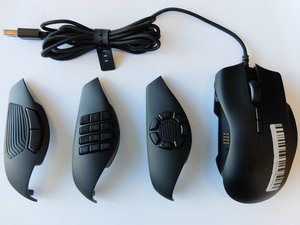
Razer Naga Trinity는 Razer에서 제조하고 Razer Chroma로 구동되는 게이밍 마우스입니다. 이 장치에는 교체 가능한 세 개의 측면 패널이 포함되어 있으며, Mac 및 Windows 컴퓨터와 호환됩니다. 모델 번호는 RZ01-02410100-R3U1입니다.

How to fix numeric panel

Hi,

The problem on my Naga Tirnity is that depending on the light effect that has set the numeric panel it starts to spam some of the buttons. The most problematic effects are Wave, Spectrum Cycling, and some static colours. If i set the numeric panel with a static red, there’s no problem, for example.

Razer support couldn’t help me because i’m from latin america and here there’s no support from Razer.

이 질문에 답하기 저도 같은 문제가 있습니다

좋은 질문입니까?

점수 0
댓글 달기

답변 1개

Hi,

The problem seems to be linked to Razer Synapse software issue. Since the problem only occurs when other mode/cycles were set through the software. Possible fix is to update Synapse or rollback to the stable Synapse version when everthing is working fine.

이 답변이 도움이 되었나요?

점수 0
댓글 달기

답변을 추가하세요

nicosantoro95 영원히 감사할 것입니다.
조회 통계:

지난 24시간: 0

지난 7일: 14

지난 30일: 36

전체 시간: 2,281