
주요 콘텐츠로 건너뛰기
수리 커뮤니티 가입 - 계정 만들기

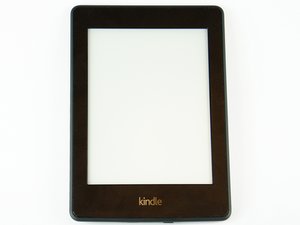
Amazon의 Kindle Paperwhite 시리즈 중 이 버전은 2015년 6월 30일에 출시되었습니다. Kindle Paperwhite 3세대는 Wi-Fi가 가능한 6인치 300 PPI 읽기 전용 디스플레이 태블릿입니다. 지정된 모델 번호는 DP75SDI입니다.

Kindle Replacing USB socket by bypass inside

Hi,

I started replacing the USB socket in my Kindle but accidentally the conductor strips were thorn.

Now, I want to do a bypass and solder it directly to the right spot using thin wires.

The problem is that I can't determine where to solder them.

Could you advice me where to solder all 4 pins?

Thank you,

Erez

이미지
이미지
답변되었습니다! 답변 보기 저도 같은 문제가 있습니다

좋은 질문입니까?

점수 0
댓글 달기

답변 2개

선택된 해법

You see the light coloured lines that lead to where the pads were. Scrape them until you see the copper trace then solder from there.

이 답변이 도움이 되었나요?

점수 1
댓글 달기

Old post lol. Clean the board and follow the traces. Might help someone else with a similar issue.

이 답변이 도움이 되었나요?

점수 1
댓글 달기

답변을 추가하세요

Erez Lahav 영원히 감사할 것입니다.
조회 통계:

지난 24시간: 0

지난 7일: 3

지난 30일: 17

전체 시간: 484
