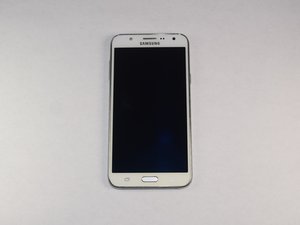

Why does my phone Keep losing memory .
Why does my Samsung galaxy j7 keep losing memory , even though i remove apps n pictures
좋은 질문입니까?
점수
0
Why does my Samsung galaxy j7 keep losing memory , even though i remove apps n pictures
좋은 질문입니까?
평판: 7.2k
 4
4
 2
2
 2
2
It hits a point that you can't put anything else in. If you look at something on the internet it ads memory. I finally had to get something with more memory. I went from 16gb to 128gb. You should upgrade to the a10e or the a50 if you are looking for budget phones. I bought a Galaxy s10 plus for 300 dollars because the guy needed money. It even came with an otterbox case. It was in excellent condition. I hope that helps.
이 답변이 도움이 되었나요?
It makes no sense that a phone does this, the manufacturer wants you to upgrade and purchase another phone.
It makes no sense, I'm having to delete more and more and still no memory.
Its just manipulation, to purchase.
평판: 211
3
It seems you got the solution from fellow members,
Anyway, the first thing that you will need to do in this case is to check what apps are using the most storage space.
For Android Nougat -
From any Home screen, tap the Apps icon.
For Android Marshmallow -
You can clear the cache and data of the app or group of apps that are using up too much space. You can also opt to uninstall them if you are not really using them.
You should also clear out some data on your phone by performing the following steps.
In case the out of storage error message still appears then you should proceed with the additional troubleshooting steps listed below.
이 답변이 도움이 되었나요?
평판: 863
3
1
You can use an SD to store system apps but only by rooting the phone. The other answers here are your best option. Newer phones with newer android versions give you the option in settings natively. I’m only pointing this out as it is possible not that I’d particularly recommend or trust it, just pointing out it is possible.
Here’s some info to anyone interested.
이 답변이 도움이 되었나요?
지난 24시간: 1
지난 7일: 8
지난 30일: 12
전체 시간: 1,560


