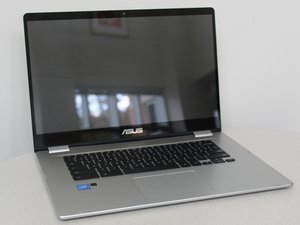

Can I replace it
it's where the Chromebook charger plugged in
좋은 질문입니까?
점수
0
평판: 552.9k
 11
11
 426
426
 1.6k
1.6k
Hi,
Which USB 3.2 port are you referring to, the one on the right or the on on the left side of the laptop, as either can be used to charge the battery?
The one on the right side is on a removable board, the one on the left is soldered onto the motherboard.
It seems that there are two boards available for the right side, Asus part # 90NX01R0-R10011 and part #90NX01R0-R10010. They look very similar and I don’t know what the difference is between them. Hopefully the board in your laptop may have the part number showing on it which will help you to know which one is right for your exact model. The supplier links above are examples only to show the part and what it may cost. Once you have determined which one is needed, search online using the appropriate part number only to get results for suppliers that suit you best.
Here’s the ifixit Asus Chromebook C523N 마더보드 교체 guide that will help you to gain access to the board. In Step.5 the board can be clearly seen and in Step.9 it shows how to disconnect the cables connecting the sub board to the motherboard
이 답변이 도움이 되었나요?
지난 24시간: 0
지난 7일: 8
지난 30일: 21
전체 시간: 928

