
Does not turn on?
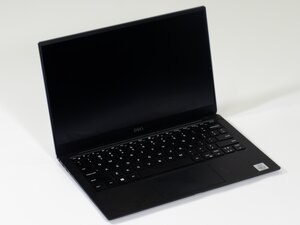
My Dell XPS 13 7390 just one day stop turning on. Replace battery to see if that was the issue, and still does not turn on. Any suggestion what it could be. Thanks!!
좋은 질문입니까?
점수
1
평판: 13
 1
1
 1
1
My Dell XPS 13 7390 just one day stop turning on. Replace battery to see if that was the issue, and still does not turn on. Any suggestion what it could be. Thanks!!
좋은 질문입니까?
평판: 551.4k
11
425
 1.6k
1.6k
Was the replacement battery fully charged?
Have you tried a different compatible charger?
On the front of the laptop there is a battery light (not a button).
When you connect the charger the light should show white if the battery is charging or orange if it is using the battery i.e. no charger connected.
If there is no light at all it is either fully charged or the laptop is in sleep mode or off.
Have you tried holding the power button for >10 seconds to force turn off the laptop in case it is in sleep mode and not responding and then try turning it on?
If still no good then there's a problem on the motherboard because it should show that the battery is charging even if the laptop is off. If the battery was fully charged the light would blink briefly when the charger is connected and then go out.
이 답변이 도움이 되었나요?
평판: 1
4
1
How to Fix a Dell Laptop That's Not Working
Here are some steps for troubleshooting a Dell that won't turn on, from the most straightforward and most apparent to more advanced fixes:
Check the power supply. If none of the lights on your PC turn on when you press the power button, even when it's plugged into the wall, then you likely need to replace the power supply. Even if the charging light comes on when you plug in your computer, the cable could still be damaged, so check the power supply unit with a multimeter if you have one.
Remove any USB storage devices. Your computer could be trying to boot from the wrong drive. If this fixes the problem, change the boot order to ensure your hard drive is at the top of the list.
Power cycle your Dell laptop. With the computer turned off and unplugged, remove any external devices (USB drives, printers, etc.), then hold down the power button for 15-20 seconds. It will drain any residual power. Next, reconnect the charger and see if your PC powers on.
Remove the battery. If the charging light comes on, but your PC still won't turn on at all, there could be a problem with the battery. Newer Dell laptops don't have a removable battery, but you can replace them yourself if yours does.
Regards,
Will
이 답변이 도움이 되었나요?
I tried all of the steps you listed and no light comes on…. I have an XPS 13 9370. It won’t turn on with AC or battery.
Replaced charging cable and battery, still nothing. No lights, nothing. Help!!!
The 15/20 seconds button push helped me. XPS 15 Dell
Your 15-20 sec power cycle worked for my xps 17. Should I be concerned about this happening again. I checked and it is 100% charged. What caused this?
Many thanks. I did exactly as you said, and id did power on!!
Just removing the battery didn't help.
지난 24시간: 2
지난 7일: 10
지난 30일: 47
전체 시간: 13,789




댓글 4개
Hi @vookim,
With the charger connected does the laptop indicate that the battery is charging?
jayeff 의
No, I get no power. The laptop has a battery indicated button on there, when I press it, show no power too.
Voo Kim 의
XPS13 9370 here, same problem
lhvelasq 의
Hi, see below. Open the back, discount the SSD, the battery, and other simple connectors that you can easily,include the CMOS 3v battery.
Press the power for 20 seconds. And connect all battery last. It did power to me..
Ilan Gsaio 의