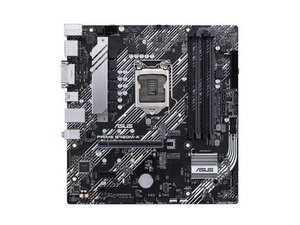

H61mk no display problems
H61mk no display problems
좋은 질문입니까?
점수
1
평판: 13
 1
1
I bought a pc with that same asus motherboard. Hopefully this helps. When I purchased it, it all worked well, but I bought someRAM and installed it, but it wouldnt turn on unless I removed one of the ram. So you might wanna remove one of your ram kit from one of your 2 slots. Hopefully that works. Im still trying to figure out how to fix mine so any onput would be greatly appreciated.
이 답변이 도움이 되었나요?
Hi @occarrillo,
The motherboard supports a maximum of 16GB ram over two slots i.e. 2 x 8GB,
The ram is DDR3L-1600 CL=11 NON-ECC UDIMM 240-pin 1.35V 2Rx8 PC3-12800
How much ram was originally installed?
Did you only change one ram module to increase the amount of memory or both?
Usually you need both modules to have the same latency i.e. CL=11 to avoid any problems,
Try removing RAM stick and placing it in different slot. If that doesn't work try removing the battery
And leave it without battery for 15 minutes and then place it back. If that doesn work try cleaning your old CPU paste and place new.
이 답변이 도움이 되었나요?
지난 24시간: 0
지난 7일: 2
지난 30일: 25
전체 시간: 1,528



댓글 3개
Hi @prandfamily,
If the PC booting into the operating system but without a display i.e. can you hear the Windows welcome sound etc?
Is the monitor connected to the motherboard's onboard video output port or is there a GPU card installed on the motherboard?
jayeff 의
No display problem for my madharbord
Krish Barasara 의
@krishbarasara
Please confirm the make and model number of the PC or motherboard if a custom build?
Is the monitor connected to the motherboard's video output or a GPU card in the PC?
jayeff 의