

Turn on without keyboard connected?
Is there a power pad, or any other way of turning on this laptop without a keyboard connected to it? (at least for troubleshooting purpose).
Thanks!
좋은 질문입니까?
점수
3
평판: 149
 4
4
 1
1
Is there a power pad, or any other way of turning on this laptop without a keyboard connected to it? (at least for troubleshooting purpose).
Thanks!
좋은 질문입니까?
평판: 864.2k
1.5k
982
 2.4k
2.4k
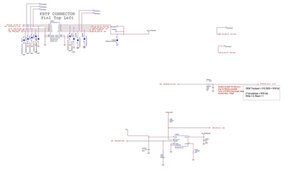
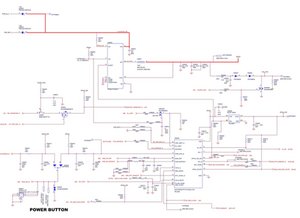
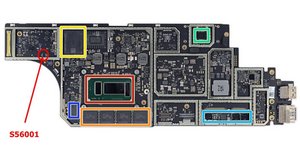
@qbanitsolution do you have the laptop disassembled and is this an original Surface (1st gen). Let's see your motherboard. There are debug options for the power button but we need to see your board to verify any of this. It is always possible to "bridge" a power button but each system is different. Using proper schematics and boardviews need to be consulted and there is no danger if done right.
이 답변이 도움이 되었나요?
I have done this multiple times with other brands like apple, but could not find any decent schematics for this model of Surface. I will give this a try and let you know. Thanks a lot for the quick response. I will also post the model of the motherboard and a picture of it as soon as I can.
Were you able to power it up by jumping one of the S56001 connections with the ground? If so, which connector combo worked for you? Thanks :)
I would like to know if it was possible to turn it on and with what.
평판: 37
2
Hi @qbanitsolution
If you wanted to turn on the Microsoft surface Laptop, the only way is to press the power button (Duh) or do risky powering that will probably damage your computer
Cheers!
이 답변이 도움이 되었나요?
지난 24시간: 2
지난 7일: 19
지난 30일: 52
전체 시간: 1,219


