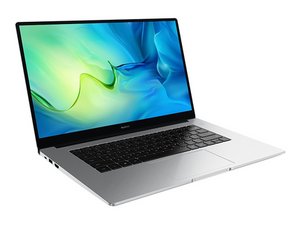
My WiFi disappeared and I can't connect to internet
When i open the laptop, it's not connected to the internet, the internet button doesn't exist anymore and i cant find it through the settings. How can i fix this?
좋은 질문입니까?
점수
0

When i open the laptop, it's not connected to the internet, the internet button doesn't exist anymore and i cant find it through the settings. How can i fix this?
좋은 질문입니까?

평판: 835.7k
 1.3k
1.3k
 940
940
 2.4k
2.4k
@daniilmatt29535 let us know which OS you are using. I assume it's a Windows machine. The next step is to check the BIOS. When your computer is starting press and hold or continuously press the F2 button to enter the BIOS Setup Utility screen. Once in that screen, go through the menus and see if your network adapter/card still shows.
It is possible that this is either a bad network card or a failed driver for the network card. You can get the drivers from here
This is what Huawei recommends as a fix:
Unable to connect to Wi-Fi Problem:
When trying to connect to a Wi-Fi network, the icon is missing in the lower right corner of the desktop.
Cause: A Windows update or third-party app may have installed an incompatible Wi-Fi driver or caused the Wi-Fi driver to be lost.
Solution: Go to C:\Windows\OriginalDriver\WiFiDriver and double-click the installer to re-install the Wi-Fi driver
이 답변이 도움이 되었나요?
지난 24시간: 5
지난 7일: 7
지난 30일: 42
전체 시간: 360
