주요 콘텐츠로 건너뛰기

The HP 14-dq0051dx is a HP 14 series laptop, released in 2019.

Upgrading the hard drive?

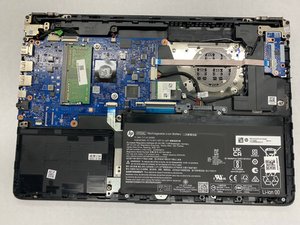
I actually have a HP 14-dq0001dx wit 64gb eMMC SSD and 4 GB RAM. Is is possible to upgrade the hard drive to a larger drive? If so, where is the hard drive locate? Is it under the motherboard?

Thank you,

이 질문에 답하기 저도 같은 문제가 있습니다

좋은 질문입니까?

점수 1
댓글 달기

답변 3개

가장 유용한 답변
Block Image
Block Image
Block Image

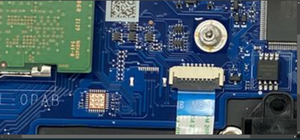
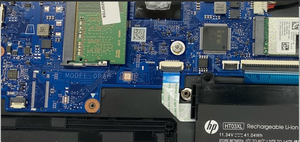
I took a look at the guide to access the motherboard and HP stripped everything that could be used away - it looks like they engineered a stripped out board just for these machines. Now that said the reason I looked into this is at one point HP used a SATA interposer which allowed for an upgrade, but as they built these more formally it's being done like every other eMMC laptop. @oldturkey03 is right - can't be done.

If your had the slot it would be here:

Block Image

이 답변이 도움이 되었나요?

점수 3
댓글 달기

@bill75092 it can't be upgraded, your eMMc drive is part of the motherboard. Furthermore, any of the other ports (SATA;M.2) have been disabled and can't be enabled. You are stuck with the 64GB.

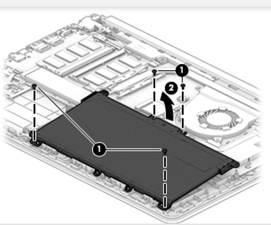
If you do want to work on it and verify any of this, use the Maintenance And Service Guide HP14

이 답변이 도움이 되었나요?

점수 1
댓글 달기

From the service manual, which you can get from HP site, you can change the RAM to an 8GB module, but to change the main drive (not an HDD) memory you would have to change the system board.

이 답변이 도움이 되었나요?

점수 1
댓글 달기

답변을 추가하세요

Bill 영원히 감사할 것입니다.
조회 통계:

지난 24시간: 1

지난 7일: 26

지난 30일: 111

전체 시간: 815