
주요 콘텐츠로 건너뛰기
수리 커뮤니티 가입 - 계정 만들기

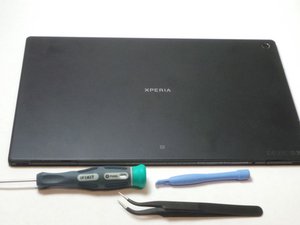
Released May, 2013. Display - 1200 x 1920 pixels, 10.1 inches. Chipset - Qualcomm Snapdragon APQ8064, CPU - Quad-core 1.5 GHz Krait, GPU - Adreno 320. Memory - 16/32 GB, 2 GB RAM. Android OS, v4.1.2 (Jelly Bean), upgradаble to v4.4.2 (KitKat).

Comment procéder au Factory reset

Comment restaurer une tablette sony xperia ?

이 질문에 답하기 저도 같은 문제가 있습니다

좋은 질문입니까?

점수 0
댓글 달기

답변 1개

가장 유용한 답변

Hi @patientkitiaka

  • If you can still access the tablet, go to Menu > Settings > Backup & reset > Factory data reset.
  • To perform a factory reset using the buttons, turn off the tablet and then, press and hold the Volume Down + Power button (both together) until the Recovery menu appears. Use the Volume buttons to navigate to the Wipe data/factory restore option and then press the Power button to confirm.

이 답변이 도움이 되었나요?

점수 1
댓글 달기

답변을 추가하세요

Patient KITIAKA 영원히 감사할 것입니다.
조회 통계:

지난 24시간: 0

지난 7일: 2

지난 30일: 14

전체 시간: 128
