
주요 콘텐츠로 건너뛰기
수리 커뮤니티 가입 - 계정 만들기

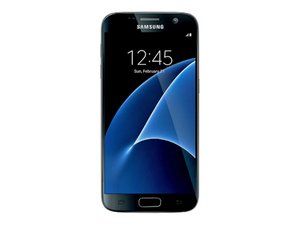
2016년 3월 Samsung에서 출시되었습니다. 모델 SM-G930V.

Several S7 died completely

So i bought 6 s7 for cheap and most of them had good screens when inspecting. I also had one that was freezing when heating up so i have 7 in total. So i charged one that was in the best condition and got stuck on charging logo and after force restarting got serious artifacts on the motherboard. Opened the phone, screen still works. Removed wireless coil, speaker, antenna. Still ok. After switching to a working motherboard screen stops working. I tried everything but got no result. Same thing with every phone. When charging they slightly heat up after 10 - 15 min. So how can i make atleast 1 working phone? please help

이 질문에 답하기 저도 같은 문제가 있습니다

좋은 질문입니까?

점수 0
댓글 달기

답변 1개

Hi @mishaneyu

Here's the Troubleshooting manual and a parts list that may help to find out and fix what's wrong.

Follow the troubleshooting flowcharts to see how far you get with each flowchart. Use the Ctrl + f keyboard function (if using Windows PC) to find the location of the board components mentioned in the flowcharts in the board layout diagrams in the manual. You will have to zoom in a lot - 500%+, to see them.

If there's a faulty component, find its part number in the parts list and then search online for Samsung (insert part number) to find suppliers of the part. You'll need smd soldering skills and tools to replace any faulty board components

이 답변이 도움이 되었나요?

점수 0

댓글 5개:

Even with 100% working boards it still doesnt work

But i can try to reflow solder by heating the boards up

@mishaneyu

Did you follow the "Power On" troubleshooting flowchart on p.7?

What does it show?

battery above 3.8v? - no. tried a 5000mah 4.0v cell, still the same.

Sound and vibration ok? - no sound and vibration

Check the voltage level at

R7027 while pressing power - cant do that

the thing is that even a working motherboard stops working after changing it

@mishaneyu

Since you can't check the voltage on R7027 then you haven't proved that there isn't a problem with the power button flex cable as you haven't mentioned that you changed it.

That's not part of the motherboard but is connected to it.

so i checked the button flex with a multimeter and it was ok

also a few days ago i had access to a lab psu and some motherboards were pulling 00.00 amps or 00.03 amps always but other were pulling 00.00 at start but after pressing the power button they were pulling around 00.25 amps and i tested all power button flexes

i will try to buy a working s7 with a broken screen to see the cause

댓글 달기

답변을 추가하세요

mishaneyu 영원히 감사할 것입니다.
조회 통계:

지난 24시간: 0

지난 7일: 1

지난 30일: 9

전체 시간: 59
