주요 콘텐츠로 건너뛰기
수리 커뮤니티 가입 - 계정 만들기

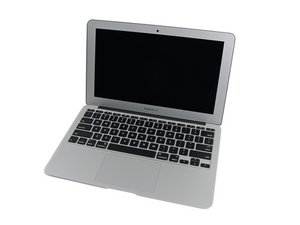
MacBook Air 11"의 2015년 3월 업데이트는 5 세대 Intel Core i5 및 i7 프로세서를 장착하고 배터리 성능이 약간 향상되었습니다.

No Backlight - Cannot locate the fault

2015 MBA A1465 (820-00164) - We power up, the screen will 'flash' and then go off, we can see the logo with a flashlight through the apple logo on the case, We have changed the 'P' Fuse, U7701 Backlight I/C & Q7706 MOSFET, Backlight enable is present 8v, We have tested with another display and the same (Ruling out a faulty LCD). All the components we have listed above are holding voltage and are not blowing.... @oldturkey03 any ideas what we need to check next? Technician is baffled. (We haven't tested with an external display as yet but have no reason the GPU has crashed as we do have an image).

이 질문에 답하기 저도 같은 문제가 있습니다

좋은 질문입니까?

점수 1
댓글 4개

It sounds like the boost logic has failed. There is a few caps that need to work for the logic to work. Check the caps.

@danj Any idea of the part numbers so we can locate them on the boardview and schematics? I think your right because the technician said I have 8v but it needs to be 24?

@livfe - locate the backlight inductor which is located near the LVDS connector, there are two larger tantalum capacitors and one smaller on the other side.

댓글 달기

답변 2개

가장 유용한 답변

Looks like a boost circuit issue—check the backlight coil/diode path since it can drop backlight after initial flash.

이 답변이 도움이 되었나요?

점수 1

댓글 1개:

We have checked everything that @oldturkey mentioned before and replaced the BL I/C. We will go over it all again, I have to compile a list of components and their functional readings to check against what we have..... I am not good on this (Need the tech guy but he is struggling on this one), a step by step guide is in need LOL

댓글 달기

@livfe what voltage do you get on D7701?

Block Image

BKL_EN should be 3.3V check for that on R7731 or R7715

Block Image

. The 8V you measure is most likely just the voltage from PPBUS_ G3H

If you do not have the voltage boost for your backlight, check L7701 which is a common issue.

이 답변이 도움이 되었나요?

점수 0

댓글 24개:

@oldturkey03 When we power up we get 20v on D7701 then it drops slowly until 8v. BKL_EN is 3.3v. L7701 reads 8.6v on both sides with 0.9 ohms resistance.

@livfe what voltage did you end up getting on R7731 or R7715? " Just reread this. You are getting ~20V but it drops down. Now, if the voltage is rising then dropping could be caused by the protection mode where your LED driver "sees" an issue i.e. something like a short circuit in the display connector, the LCD itself etc. it shuts down the boost to protect the board. Check your display connector.

L7701 reads 8.6v" that means you do not get the voltage boost. Replace L7701 and see what you get.

@oldturkey03 Technician says he will replace the L7701 we'll update when done. Replaced and still the same....

@livfe sounds like you have the schematic and the boardview. Check for XW7720. That is nothing but a solder pad bridge on the feedback trace. If that is gone it can cause the protection mode as well.

@oldturkey03 We never could make any progress, the solder bridge was intact.....

댓글 19개 더보기

댓글 달기

답변을 추가하세요

livfe 영원히 감사할 것입니다.
조회 통계:

지난 24시간: 0

지난 7일: 5

지난 30일: 54

전체 시간: 176
