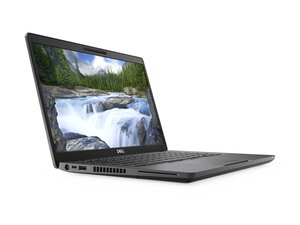

speakers no longer working
started with a static sound then went silent
좋은 질문입니까?
점수
0
평판: 550.3k
 11
11
 425
425
 1.6k
1.6k
Given there's no audio through the speakers or the headphones check the status of the sound controller in Device Manager to make sure that is is working OK and that there's no software problem with the device..
To get to Device Manager in Win10/Win11, press the Win key + x key (both together) and click on the Device Manager link.
When in Device Manager, scroll down to the Sound, video and game controller category.
If there's a red cross next to the Realtek audio driver entry right click on the entry and select Enable device and follow the prompts and check if it works OK. You may have to restart the laptop.
If there's a yellow exclamation mark next to the Realtek audio driver entry right click on the entry and select Update Driver and follow the prompts and check if it works OK. You need to be online for this to work. You may have to restart the laptop after the update.
If there's no notification next to the Realtek audio driver entry, right click on the entry, Properties > General tab and check if the Device status shows " This device is working properly".
If everything is OK in Device Manager it might be a hardware problem.
It could be a faulty/loose speaker cable connection on the motherboard, a faulty set of speakers (comes as a complete module of two speakers that are connected via a single cable - Dell p/n 0DHFT).
A faulty headphone jack. The headphone jack either cuts off the audio to the speakers and redirects the sound to the headphones or signals the sound controller when the headphones have been inserted to switch the audio away from the speakers and to the headphones. If it is faulty neither may work.
A combination of faulty speakers/speaker connection and faulty headphone jack or worst case there's a problem on the systemboard.
Here's the service manual for the laptop. Go to p.73 to see how to remove the speakers so that they can be checked and tested etc.
If it is determined that the headphone jack is the problem the systemboard will have to be removed from the laptop case so that the jack can be unsoldered from the board and a replacement soldered in its place.
If it's a motherboard problem then the schematics for the board will be needed to find out what's wrong. Here's a free download link that will help.
이 답변이 도움이 되었나요?
Thank you so much, its a hardware issue
지난 24시간: 2
지난 7일: 21
지난 30일: 58
전체 시간: 325


댓글 2개
Hi @kettonchapano
Please confirm if the laptop is a Dell Latitude 5400 or a Dell Latitude 5400 2in1 model, as they're not quite the same?
Can you hear clear audio OK when listening using wired headphones connected to the headphone jack in the laptop?
jayeff 의
@jayeff its a Dell 5400 and i cannot hear sound if i connect wired headphones through the jack
Ketton Chapano 의