주요 콘텐츠로 건너뛰기
수리 커뮤니티 가입 - 계정 만들기

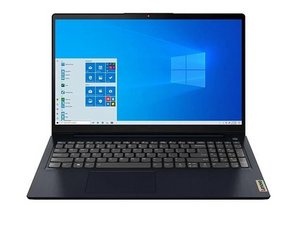
Lenovo IdeaPad 3/3i 15ITL6은 인텔 11세대 플랫폼을 기반으로 하는 15인치 모델의 IdeaPad 3입니다. CPU, RAM, SSD 구성이 서로 다른 여러 모델이 존재하지만, 수리 방법은 모두 기본적으로 동일합니다. 2020년에 출시되었습니다.

Charger light on and off

When it's connected with the charger, the charger lamb next to DC - lights red for about 10 seconds and disappear and repeats the same cycle over and over but the battery wouldn't be charge and laptop doesn't work, what to do next?

이 질문에 답하기 저도 같은 문제가 있습니다

좋은 질문입니까?

점수 0
댓글 달기

답변 2개

This could be a depleted battery or bad battery - try simple things first - unplug charger and press and hold the power button for >30 seconds. then plug in charger, any change in the light? If so, note the blink code pattern for further diags. If not it could be indicating a bad battery or just severely depleted - leave on charger for >2 hrs without trying to turn it on.

Try to turn it on - anything?

Next I would open it up and disconnect the battery (manual may help: https://download.lenovo.com/consumer/mob... ), then press and hold the power button for 30 seconds, then plug in charger and turn on - ? If it now turns on, its likely a bad battery that needs replacing.

이 답변이 도움이 되었나요?

점수 0
댓글 달기

@muhammmadsamir this "lights red for about 10 seconds and disappear and repeats the same cycle over and over" means your power supply is attempting to power up your laptop but it can't communicate with the laptop. Try this. Disconnect the AC adapter and remove the bottom cover and completely disconnect the main battery from the motherboard. Plug the AC adapter back in. If the laptop powers on normally, the battery has a dead internal cell or a faulty management board and must be replaced.

If the same issue continues even with the battery disconnected, the issue is with the motherboard. The system is sensing an overcurrent situation on the main power rail right after the initial power handshake. You would need to check the components around the charging circuits for short to ground etc.

To assist you further with that we would need to know what motherboard model is in your computer. It will be printed on your board. It is possible that it is on the top side, so you would have to remove the motherboard to find that number. To work on your computer use the IdeaPad 3i IdeaPad Slim 3 Hardware Maintenance Manual

Post some well focused pictures of your motherboard with your question. That way we can see what you see 기존 질문에 이미지 추가하기

One more thing you want to check, is your AC adapter. Check the voltage and if you have an ammeter see what it delivers when it try's to turn on your laptop.

이 답변이 도움이 되었나요?

점수 0
댓글 달기

답변을 추가하세요

Muhammmad Samir 영원히 감사할 것입니다.
조회 통계:

지난 24시간: 1

지난 7일: 13

지난 30일: 49

전체 시간: 49

