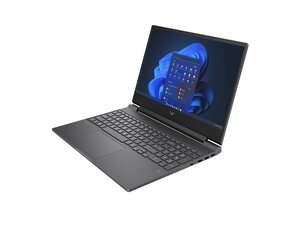

Help me pls pls
I have a Victus 15, and the screen is broken and won't display anything. Even when I connect it via HDMI, it still doesn't show up. What should I do?
좋은 질문입니까?
점수
0
I have a Victus 15, and the screen is broken and won't display anything. Even when I connect it via HDMI, it still doesn't show up. What should I do?
좋은 질문입니까?
평판: 864.3k
 1.5k
1.5k
 982
982
 2.4k
2.4k
@gjqfeoqhrqvg6fm the keyboard backlight is on means the board is powering up. It is sending video to the broken screen and bypassing the HDMI output.
Try this. Open your laptop (we don't know yet which Victus 15 you have) and disconnect the battery. Unplug the LCD cable from the motherboard. Plug in the HDMI cable, plug in the charger then turn your laptop on. You should now get a dispaly. You already know that you need to repalce the laptops LCD.
If you still do not get a display then it is possible that whatever the impact was (we don't know yet what has happened that damaged your screen) that broke the screen also shorted the video cable and damaged the display circuit on the motherboard. To fix that, you would need to have a multimeter, the schematic and some working knowledge on how to perform a board repair.
So, as you can see we need more details from you to really narrow things down.
이 답변이 도움이 되었나요?
지난 24시간: 2
지난 7일: 39
지난 30일: 39
전체 시간: 39


댓글 4개
@gjqfeoqhrqvg6fm Are there any lights that show up on the keyboard? Is the screen physically damaged?
Theo Grefalda 의
The keyboard backlight turns on, but the screen is physically damaged
정유찬 의
@gjqfeoqhrqvg6fm what is the exact model number for your Victus 15? How did the screen break? besides connecting to the HDMI what else have you tried?
oldturkey03 의
@gjqfeoqhrqvg6fm Do any other lights on the keyboard turn on other than the backlight? And as what oldturkey03 has already asked, what other things have you tried?
Also, is the screen cracked? What type of physical damage is there on the screen?
Theo Grefalda 의