배터리
이 번역은 기계에 의해 생성되었으며, 아직 사람이 검토하지 않았습니다. 이 언어를 구사하시나요? 검토하기.
|
답변 17개 20 점 |
Ribbon doesn't move when printing |
|
답변 2개 1 점 |
Why can't I change the font size over 12 |
|
답변 6개 6 점 |
Why is my device not turning on? |
|
답변 1개 0 점 |
Dymo Label Maker 160 How to reset double lines? |
해당 기기를 고치는데 사용하는 일반 도구들 입니다. 매 절차에 모든 도구를 사용하지는 않습니다.
2011년에 출시된 DYMO LabelManager 160은 해당 세대의 첫 번째 모델이며 DYMO에서 만든 최고의 휴대용 기기로 평가받습니다.
DYMO LabelManager 160은 다양한 글꼴 크기와 스타일로 라벨을 인쇄할 수 있습니다. 또한 빠른 입력을 위해 QWERTY 키보드가 탑재되어 있습니다. 라벨 메이커에는 사용하지 않을 때 자동으로 전원을 끄는 자동 전원 차단 기능이 갖춰져 있습니다.
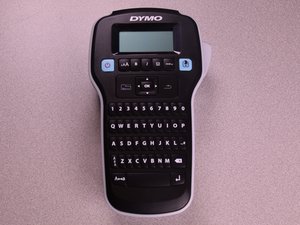
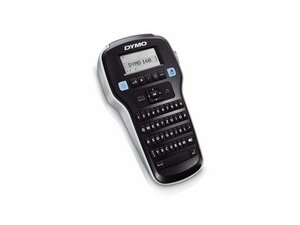
Dymo LabelManager 160은 검은색 상단 케이스를 가지고 있으며, 위쪽에는 화면이, 디스플레이 아래에는 기능 버튼이, 버튼 아래에는 QWERTY 키보드가 있습니다. 대부분의 버튼은 흰색 글자가 적힌 검은색이지만, 양 끝의 기능 버튼은 검은색 글자가 적힌 밝은 파란색입니다. 키보드는 본체의 대부분을 차지하며 화면이 포함된 섹션보다 좁습니다.
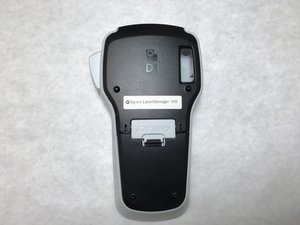
Dymo 로고는 디스플레이 위쪽 중앙에 인쇄되어 있습니다. 모델명과 일련번호는 기기 뒷면에 인쇄되어 있습니다.
Dymo LabelManager 160 공식 제품 페이지
DYMO LabelManager 160 Bedienungsanleitung
DYMO LabelManager 160 Gebruikershandleiding
DYMO LabelManager 160 Käyttöopas
DYMO LabelManager 160 Užívateľský návod
LabelManager 160 — Guia do Usuário
UA-SYDOW CAMPBELL-S16S1G4
4 회원들
안내서 48개를 작성함
지난 24시간: 6
지난 7일: 33
지난 30일: 163
전체 시간: 9,614