주요 콘텐츠로 건너뛰기

LG G3 Battery Replacement

필요한 것

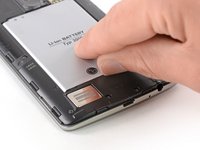
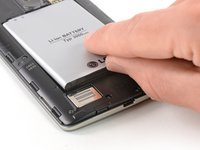
  1. LG G3 Battery Replacement, Back Cover: 1 단계, 이미지 2개 중 1개 LG G3 Battery Replacement, Back Cover: 1 단계, 이미지 2개 중 2개
    • Power off your phone before beginning disassembly.

    • Insert a thumbnail, or a prying tool like a spudger, into the notch at the bottom left of the back cover.

    • Pry the back cover up to separate its plastic clips.

  2. LG G3 Battery Replacement: 2 단계, 이미지 2개 중 1개 LG G3 Battery Replacement: 2 단계, 이미지 2개 중 2개
    • Lift the back cover to release the rest of the plastic clips and remove it.

    • In case you can't lift the back cover completely, slide your fingernail or your prying tool around the midframe to release the remaining clips.

    • To reinstall the back cover, press it firmly into place until you hear a snap from the plastic clips to form a seamless connection with the rear side of the phone.

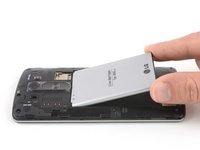
  3. LG G3 Battery Replacement, Battery: 3 단계, 이미지 2개 중 1개 LG G3 Battery Replacement, Battery: 3 단계, 이미지 2개 중 2개
    • Use a fingernail or a prying tool at the marked notch to lever the battery out of its recess.

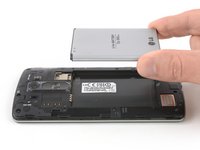
  4. LG G3 Battery Replacement: 4 단계, 이미지 2개 중 1개 LG G3 Battery Replacement: 4 단계, 이미지 2개 중 2개
    • Lift the battery out of its recess and remove it.

결론

For optimal performance, calibrate your newly installed battery: Charge it to 100%, and keep charging it for at least two more hours. Then, use it until it shuts off due to low battery. Finally, charge it uninterrupted to 100%.

To reassemble your device, follow these instructions in reverse order.

Take your e-waste to an R2 or e-Stewards certified recycler.

다른 21명이 해당 안내서를 완성하였습니다.

작성자

8다른 기여자 명과 함께

Dominik Schnabelrauch

회원 가입일: 11/23/16

246,398 평판

안내서 682개를 작성함

1가이드 댓글

Thank you very much!

ItayDigital - 답글

댓글 쓰기

조회 통계:

지난 24시간: 0

지난 7일: 3

지난 30일: 33

전체 시간: 18,169