주요 콘텐츠로 건너뛰기
수리 커뮤니티 가입 - 계정 만들기

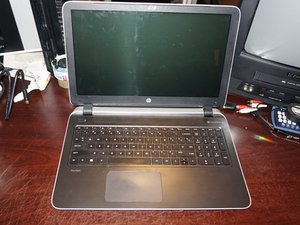
2015년에 출시된 HP Pavilion 노트북 시리즈입니다. 15-p 모델은 이후 출시된 15-x 모델보다 수리가 더 어렵습니다.

HP pavilion disk dive scews

Hi, i have a hp pavilion and im trying to upgrade the hdd to a ssd but ive got stuck trying the remove the screws just above the disk drive it seems to be a very small Crosshead/phillips screw does anyone have the screwdriver size

many thanks

Michael

이 질문에 답하기 저도 같은 문제가 있습니다

좋은 질문입니까?

점수 0
댓글 1개

Look very closely at the screw heads. Are you sure they're not Torx (6-pointed star)? Press very hard on the screwdriver - if it slips you'll damage the screw head and then it may be almost impossible to remove.

의

댓글 달기

답변 2개

가장 유용한 답변

The laptop uses Phillips #00 screws like every other PC laptop I’ve worked on - but there are multiple lengths that were used. If this is your first run working on the laptop, you really need to sort the screws. I didn’t bother in the guide because I know where they go and have dealt with enough HP machines to know.

In order to get to the hard drive, the ENTIRE laptop needs to be taken apart. I have a guide up for this, but there are multiple reports of a specific variation in the battery bay I never had to deal with where there are two extra screws that need to be removed if yours isn't an “exact match”. No other differences have been reported so far.

Once you remove the palmrest, the hard drive is able to come out without additional screws. The issue on this laptop is how annoying it is to replace. The guide can be found here.

이 답변이 도움이 되었나요?

점수 1
댓글 달기

i dont have the driver specification, but if it IS a phillips head, then you will likely be looking at Ph000, or Ph00. These are the most common small phillips to use in electronics.

i would suggest purchasing a precision toolkit before attempting any electronics repairs. All toolkits will include these two sizes.

이 답변이 도움이 되었나요?

점수 0
댓글 달기

답변을 추가하세요

michael greensmith 영원히 감사할 것입니다.
조회 통계:

지난 24시간: 1

지난 7일: 3

지난 30일: 24

전체 시간: 4,123
