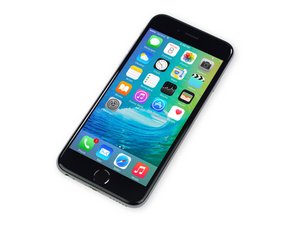
Touch screen sensitivity inconsistent
After recent repair, the touch is sensitive. Intermittently scrolling will result in “clicking” on points and other times it is difficult to “click”.
좋은 질문입니까?
점수
0

평판: 67
 3
3
 2
2
 1
1
After recent repair, the touch is sensitive. Intermittently scrolling will result in “clicking” on points and other times it is difficult to “click”.
좋은 질문입니까?

평판: 3.5k
5
9
1
Hi there,
There are many methods that you can try:
1. Clean your screen
Any oily substance can easily make your screen unresponsive.
2. Ensure that The Screen Guard is In Perfect State
If the screen protector is damaged or less sensitive to the touch, you will have troubled time using your device.
3. Force restart
One of the easiest options to fix the frozen screen is to reboot the device.
4. Restore Your Device As New
Restoring is considered to be a nuclear solution thanks to the ability to fix even turban issues. But you should always make sure back up your device before going for this drastic solution as it will wipe out everything from your device.
Hopefully, you have found success with them.
이 답변이 도움이 되었나요?
Duh, might be the screen protector. Thanks for the suggestions.
Screen guard removed and cleaned the screen. So far so good. Thanks again.
Thanks that helped you.

평판: 221.9k
15
297
808
Sounds like a defective screen to me. If you replaced it yourself and you still have the original screen, try that one to see if the problem goes away. If it was repaired at a shop/Apple, go back and have them take a look.
이 답변이 도움이 되었나요?
The screen was an online Walmart purchase. "tisk, tisk on me..." but seemed to be in working condition. Ill check it out. thanks for the reply!
The screen works good. The screen guard was causing the problems. Thanks for the feedback.
지난 24시간: 2
지난 7일: 6
지난 30일: 25
전체 시간: 3,913
