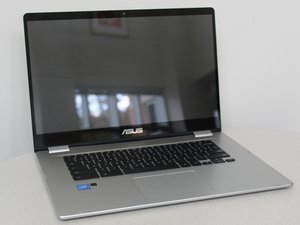

My C523 Will Not Charge
My C523 Will not charge from either USB-C ports. The charger is good as it works on my wifes chromebook. I opened it up and everything looks to be connected properly. Any ideas?
좋은 질문입니까?
점수
1
평판: 13
 1
1
 1
1
My C523 Will not charge from either USB-C ports. The charger is good as it works on my wifes chromebook. I opened it up and everything looks to be connected properly. Any ideas?
좋은 질문입니까?
평판: 31.4k
9
17
 66
66
If you wife’s Chromebook is the same model try swopping batteries.
If her battery charges fine in your laptop and your’s doesn’t charge in her’s then you know that you need a new battery.
이 답변이 도움이 되었나요?
Its not the same battery. Are there other indicators that would help diagnose a non-functional battery? On mine the light wont even turn on when plugging it into the charger. Does that lean to a bad battery or a bad motherboard?
Hi @Sean Goodman
Just disconnect the battery and try to run Chromebookl with just the charger plugged in. If all is well then the battery is probably defective and I would guess shorting out the system.
It could be something else but let's just try this to start.
I have the same problem, but disconnecting the battery and plugging it in does not allow the computer to run. What's the next step?
@Peter Anderson
What is the make and model number of the laptop?
Do you get any indications on the laptop when a charger is connected?
If not maybe check if the DC-In jack is OK.
try disconnecting the battery then plug it back in while the usb c cable is pluged into the chromebook that worked for me
지난 24시간: 0
지난 7일: 3
지난 30일: 26
전체 시간: 2,044


댓글 2개
I have the same model with same issue. Both ports won’t light up and can’t even turn on. Is there a way just to change the charging port?
Kien Trinh 의
I ended up replacing the motherboard as I didn't trust my abilities in soldering on a board. Found one on ebay for around $150 I think. This was going to be for my kid at school so didn't want to buy new with the inflated prices pre-school year. Fairly easy install with the right tools. Got it all done and then the school came out a week before start and said outside computers not allowed as they had enough to go 1 to 1 for the year. FML...
sean.goodman1978 의