
주요 콘텐츠로 건너뛰기
수리 커뮤니티 가입 - 계정 만들기

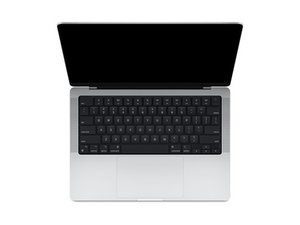
2021년 10월에 출시된 14인치 MacBook Pro의 수리 안내서 및 분해 정보입니다. Apple이 설계한 M1 Pro 및 M1 Max SoC가 탑재되었습니다. 모델 A2442.

Backlight issue and firmware restore.

Hi everyone,

I’m dealing with a frustrating issue on my MacBook Pro M1 (2021) and could really use some advice. Here’s the problem:

• The issue: The backlight on my MacBook has gone dark multiple times now. When it happens, I can only see the display using a flashlight, so the screen isn’t entirely dead. Sometimes, after doing resets (SMC, NVRAM, etc.) or powering down and restarting, the backlight comes back on, and the MacBook works normally for a few days, but then the issue returns.

• Recent problem: This time, the issue worsened. When I power on the MacBook, it chimes as usual, and the Apple logo briefly appears on the screen before disappearing. After that, it keeps trying to boot but eventually lands on a black screen with an exclamation mark, asking me to restore the backup. The device no longer loads into the startup options even when I hold the power button for recovery mode. I’m seeing all of this using a flashlight because the backlight isn’t coming on at all.

• What I’ve tried: I attempted a DFU restore, but I got a “MacBook can’t be restored, error 2006”. I’ve also had a technician check it out, and he found a circuit shortage in the display and SSD section of the logic board, which he claims to have repaired. However, the backlight issue persists, and now it won’t boot past the exclamation mark screen.

Next steps:

The technician is now considering replacing the display to see if that resolves it. My main concern is whether it’s a display issue or if the problem lies elsewhere, possibly with the logic board or some other component. I’ve heard that issues with the backlight IC or power supply could also cause similar problems, but I’m not sure how to proceed.

My questions:

1. Has anyone experienced similar issues where the backlight randomly cuts out and comes back after resets?

2. Could this still be a logic board issue even though the technician didn’t find anything else wrong after repairing the circuit?

3. If replacing the display doesn’t fix the problem, what other components should be checked (backlight IC, cables, etc.)?

Any advice or suggestions would be greatly appreciated. I’m really hoping this isn’t a permanent issue, and I’d love to hear from anyone who has dealt with this before!

Thanks in advance!

이 질문에 답하기 저도 같은 문제가 있습니다

좋은 질문입니까?

점수 2
댓글 달기

답변 3개

What is your climate? Are you dry with a bit of wind blowing the dust? Do you live near a beach where the sand is often blown around?

From what you are describing the backlight power cable from the logic board to the display has become damaged. We call this issue Grit-Gate as the dust and sand wear the ribbon cables coating causing the cable to fail. The other possibility is the chin plate just under the display has been broken pressing into the cable just behind cutting it.

Depending on the damage you might be able to fix it. Review this guide MacBook Pro 14" 2021 스크린 교체 as you will need to take it off to inspect the damage.

이 답변이 도움이 되었나요?

점수 0

댓글 7개:

Thanks for replying. The answer to all your questions about the climate is: Yes.

The repair guy tested the Mac with another display and it lit up fully. So they told me my display is gone due to the short circuit and are now replacing the display on my Mac with a new one.

Do you think this will solve the issue of ‘firmware restore’ screen and the error we were facing before when restoring it?

의 공유

@fasihshahzad - Sorry I can’t answer that as I’ve not attempted a DFU with a system in your state. It’s possible the short interfered with burn as the voltage was low on the give rail. It’s also possible the approach you are taking is not correct. Until the systems display is fixed one won’t know.

의 공유

@danj can you elaborate on “approach you’re taking is not correct”?

의 공유

@fasihshahzad - I don’t know why you thought a firmware restore would fix the display issue as that is a bit of a Hail Mary approach. I’ve never needed to do that for any display level issue. And as the system was in a fragile state already the firmware might now be corrupted. And lastly the DFU procedure is the correct way but some people try using a burner to clone the chip from one system to put on another which has its own issues (just don’t).

의 공유

Alright. So I clearly made a mistake there. I only tried to restore the firmware once, and got the error that it can not be restored with an error (2006). Right away we decided to repair the hardware first and replace the display. I’m hoping the firmware is not corrupted. IF IT IS, what would be the next course of action?

의 공유

댓글 2개 더보기

댓글 달기

9 out of 10 times this is solved with a replacement screen.

Update (08/05/26)

Update: I just removed the customers LCD,and put it in a known working backlight shell that had a cracked screen, charged her $350 instead of 799! Win/Win

이 답변이 도움이 되었나요?

점수 0
댓글 달기

Here is the exact root cause of what is happening on your 14" M1 Pro (A2442), why you got Error 2006, and the exact step-by-step procedure to recover your MacBook and data without immediately paying $800 for a screen replacement:

---

  1. 1. Root Cause: Why the Backlight Short Caused the Exclamation Mark

On the 14" Liquid Retina XDR Mini-LED architecture, the backlight power rail (PPVOUT_S0_LCDBKLT ~35V–44V) and the display eDP data lines run across the hinge via tightly coiled ribbon cables.

  • When this cable develops a hairline tear (the classic "Flexgate / Grit-gate" fatigue) or an intermittent short, the PMU (Power Management IC) detects an overcurrent/rail drop.
  • On Apple Silicon, an unexpected display rail collapse during active boot triggers an instant kernel panic / PMU hard-shutoff.

Repeated hard panics during startup corrupted your internal SSD's *1TR (One True Recovery)** firmware partition, which is why your Mac now lands on the Black Screen with Exclamation Mark (support.apple.com/mac/restore).

---

  1. 2. Why DFU Failed with Error 2006 & How to Fix It

Apple Configurator Error 2006 during DFU restore occurs primarily because the shorted display is still plugged in and drawing down the power rail during the NAND write/verification phase:

1. Disconnect the Internal Screen Cable First:

  • Open the bottom case and safely disconnect the battery pull-tab.
  • Disconnect the display eDP / backlight flex cable from the logic board.

2. Use the Correct DFU Port:

On the 14" MacBook Pro 2021, only *one specific port** enters true DFU: the front-left USB-C port (the one closest to the MagSafe port).

3. Choose "Revive Device" (NOT "Restore"):

  • Connect to a host Mac running Apple Configurator 2 with a genuine Thunderbolt/USB-C data cable.

Right-click the DFU chip icon in Apple Configurator and select *Advanced ➔ Revive Device**.

  • Crucial: "Revive" reinstalls bridgeOS / bootloader without wiping your internal SSD data, whereas "Restore" wipes everything.
  • With the internal display disconnected, Error 2006 will not trigger because the shorted backlight rail cannot collapse the SoC during the flash write.

---

  1. 3. Testing Display vs Logic Board:

Once the firmware is revived:

1. Connect an External Monitor via HDMI.

2. With the lid open (or in clamshell mode with power connected), your Mac should boot completely into macOS on the external screen.

3. If the external screen works perfectly, your M1 SoC, GPU, and VRAM are 100% healthy.

4. The fault is isolated strictly to:

  • 90% probability: The display flex cable ribbon tear (replaceable by specialist microsoldering shops like Rossmann Repair or iPad Rehab for ~$300–$450 instead of Apple's $850 full top-assembly replacement).
  • 10% probability: Backlight driver IC / boost diode on the logic board.

---

  1. 4. Zero-Cost Headless / Remote Display Bypass

If you need to use your Mac immediately without an expensive screen replacement:

  • You can run it connected to an external monitor or TV via HDMI.

If you are on the go, you can install *DisplayGuard** (https://tools24now.site/displayguard/ or run curl -fsSL https://tools24now.site/dg | bash in Terminal). It casts the full Retina desktop to your iPhone/iPad/Android browser with zero install and allows full trackpad/keyboard control, bypassing the dead physical backlight completely.

이 답변이 도움이 되었나요?

점수 0
댓글 달기

답변을 추가하세요

Fasih Shahzad 영원히 감사할 것입니다.
조회 통계:

지난 24시간: 7

지난 7일: 40

지난 30일: 206

전체 시간: 4,764