주요 콘텐츠로 건너뛰기

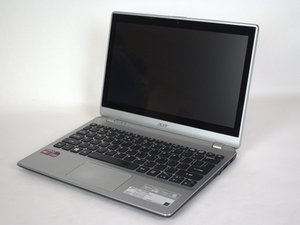
The Acer Aspire V5-122P-0468 is a laptop with 11.6” screen originally manufactured starting in 2013.

No doubles when typing

For whatever reason I can’t type double letters. Pressing any key twice the computer won’t recognize the second press For instance to type button I have to do but (pause ) ton otherwise if I do it normally it only types buton . Any idea what happened?

이 질문에 답하기 저도 같은 문제가 있습니다

좋은 질문입니까?

점수 1
댓글 2개

@kellibergi21474 I assume that it eventually lets you type the second letter just with a delay, correct?

You are correct

댓글 달기

답변 1개

가장 유용한 답변

@kellibergi21474 sounds like a keyboard issue. Try and use a USB keyboard and see if the keys now recover quicker. It does sound like your keyboard may actually be worn out.

If a USB keyboard does work the way it should then you might consider replacing your computers keyboard. The keyboard is intended to be part of the top case. That means it is not the easiest to replace. There are no guides for this specific task yet. Use something like this video to get to the keyboard. Around the 6:35 min mark you see that the keyboard is attached to the top case, usually via some plastic tabs that need to be broken off. Then you can get a replacement keyboard and attach that with some small screws. Of course, you can also try and find the top case with the keyboard already attached, but that is usually a bit more costly while the actual work is still the same (minus replacing the keyboard).

If a USB keyboard does not work then the issue could be Windows settings. Consider adjusting the keyboard repeat delay and rate in the Control Panel, or running the keyboard troubleshooter. Might be different for your version Windows since we do not know which version yours is

이 답변이 도움이 되었나요?

점수 1

댓글 3개:

Thank you for your answer however when I hooked up a Bluetooth keyboard to my computer it did the same thing. It wouldn’t let me type doubles

@kellibergi21474

Did you try adjusting the Control panel > Keyboard > Speed > Character repeat settings, you never said?

@kellibergi21474 that is kind of good -) in that case you know that it is very likely not your hardware but a settings issue.

댓글 달기

답변을 추가하세요

kelli0427 영원히 감사할 것입니다.
조회 통계:

지난 24시간: 3

지난 7일: 6

지난 30일: 11

전체 시간: 89
