주요 콘텐츠로 건너뛰기
수리 커뮤니티 가입 - 계정 만들기

안내서

문서

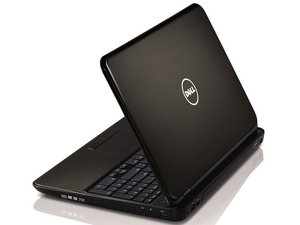
이 노트북은 설계가 형편없습니다. 하드 드라이브를 교체하려면 노트북을 완전히 분해(디스플레이 분리 및 마더보드 제거)해야 합니다. 하드 드라이브와 같이 흔히 고장 나는 부품은 더 쉽게 접근할 수 있어야 합니다.

Dell 서비스 매뉴얼은 여기서 확인할 수 있습니다. 제가 직접 수리 과정을 촬영하고 싶었지만, 제가 가진 노트북은 나사가 빠져 있었습니다. 누군가 이전에 분해한 적이 있는 것 같으며, 나사 몇 개를 빠뜨리거나 잘못된 위치에 다시 끼워둔 것으로 보입니다.

문서

inspiron-15r-n5110_Service-Man.pdf

Dell Inspiron N5110 서비스 안내서

INSPIRON 설정 안내서

Dell Inspiron N5110 서비스 안내서

Dell Inspiron N5110 서비스

Dell Inspiron N5110 서비스 안내서

Dell Inspiron N5110 수리 안내서

Dell Inspiron N5110 서비스 안내서

INSPIRON 설치 안내서

Inspiron 설치 안내서

INSPIRON™ 설정 안내서

Dell Inspiron N5110 서비스 안내서

Dell Inspiron 15R N5110 설치 안내서

Dell Inspiron N5110 서비스 안내서

Dell Inspiron N5110 서비스 안내서

Dell Inspiron N5110 서비스 안내서

Inspiron 설치 안내서

Dell Inspiron N5110 서비스 안내서

Dell Inspiron N5110 서비스 안내서

Dell Inspiron N5110 서비스 안내서

Inspiron 설치 안내서

Dell Inspiron N5110 서비스 안내서

Dell Inspiron N5110 서비스 안내서

Dell Inspiron 설정 안내서

Inspiron 설정 안내서

INSPIRON™ 설정 안내서

Dell Inspiron N5110 서비스 안내서

Dell Inspiron N5110 서비스 안내서

Dell Inspiron 설정 안내서

INSPIRON™ 설정 안내서

Dell Inspiron N5110 서비스 안내서

Inspiron 설정 안내서

Dell Inspiron N5110 서비스 안내서

Dell Inspiron N5110 서비스 안내서

Dell Inspiron N5110 서비스 안내서

Dell Inspiron N5110 서비스 안내서

Inspiron 설치 안내서

Inspiron 설치 안내서

INSPIRON 설정 안내서

Dell Inspiron N5110 서비스 안내서

Inspiron 설정 안내서

Inspiron 설치 안내서

INSPIRON 설치 안내서

Inspiron 설치 안내서

Inspiron — 설정 안내서

Tyler

회원 가입일: 06/19/12

5,088 평판

안내서 16개를 작성함

팀

TechForce TechForce 회원

Business

2 회원들

안내서 192개를 작성함

조회 통계:

지난 24시간: 7

지난 7일: 29

지난 30일: 133

전체 시간: 63,039