RAM
이 번역은 기계에 의해 생성되었으며, 아직 사람이 검토하지 않았습니다. 이 언어를 구사하시나요? 검토하기.

|
답변 2개 10 점 |
Administrator password bypass #F4J0FK1-2A7B |
|
답변 2개 3 점 |
How old is the Dell Latitude E6500? |
|
답변 1개 0 점 |
Can I use a e6400 battery in the e6500? |
|
답변 1개 0 점 |
Why does it stop on starting windows for even a day? |
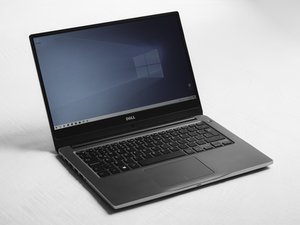
Dell Latitude E6500은 비즈니스 사용자를 겨냥한 제품입니다. 열가소성 수지와 마그네슘 합금을 결합한 내구성 있는 섀시를 사용하여 편안하면서도 견고한 노트북을 제공합니다. Quadro 그래픽 카드 라인업이나 배터리 사용 시간을 위한 Intel 내장 그래픽(IGP)을 탑재하여, 1280x800부터 1920x1200 해상도까지 다양한 디스플레이 옵션과 함께 어디서든 작업할 준비가 되어 있습니다.
Dell Latitude E6400 및 E6500 메인스트림 노트북 제품 소개
Dell Latitude E6500 설치 및 빠른 참조 안내서
Dell Latitude E6500 – 설치 및 빠른 참조 안내서
Dell Latitude E6500 설치 및 참조 안내서
Dell Latitude E6500 설치 및 빠른 참조 안내서
Dell Latitude E6500 설치 및 빠른 참조 안내서
Dell Latitude E6500 설치 및 참조 안내서
Dell Latitude E6500 설치 및 빠른 참조 안내서
Dell Latitude E6500 빠른 참조 및 설치 안내서
Dell Latitude E6500 설치 및 빠른 참조 안내서
Dell Latitude E6500 설치 및 빠른 참조 안내서
Dell Latitude E6500 설치 및 빠른 참조 안내서
Dell Latitude E6500 설치 및 빠른 참조 안내서
Dell Latitude E6500 설치 및 참조 안내서
Dell Latitude E6500 설치 및 빠른 참조 안내서
Dell Latitude E6500 설치 및 빠른 참조 안내서
Dell Latitude E6500 설치 및 빠른 참조 안내서
Dell Latitude E6500 설치 및 빠른 참조 안내서
Dell Latitude E6500 설치 및 빠른 참조 안내서
Dell Latitude E6500 설치 안내서 및 시스템 정보
Dell Latitude E6500 설치 및 빠른 참조 안내서
Dell Latitude E6500 설치 및 빠른 참조 안내서
Dell Latitude E6500 설치 및 빠른 참조 안내서
Dell Latitude E6500 설치 및 빠른 참조 안내서
지난 24시간: 1
지난 7일: 14
지난 30일: 65
전체 시간: 20,868